If you ever wonder how to deploy Remote Desktop Services 2016 from scratch than this is the perfect guide for you. I will walk you through a complete RDS 2016 (multiserver and all-in-one) deployment with clear instructions and screenshots.

Remote Desktop Services is a server role in Windows Server that allow users to remotely access graphical desktops and Windows applications.

We will begin by discussing about RDS core components, when to use one server and when multi-server deployment and we will install RDS on WIndows Server 2016.

Contents at a glance

  1. What’s new in RDS 2016, what are RDS core components and RDS deployment options (Standard, Quick and MultiPoint Services)
  2. How to Install Remote Desktop Services 2016, Quick Start Deployment
  3. Remote Desktop Services 2016, Standard Deployment – Part 1 – Installation
  4. Remote Desktop Services 2016, Standard Deployment – Part 2 – Purpose of RD Collections (Collection Properties)
  5. Remote Desktop Services 2016, Standard Deployment – Part 3 – Exploring Deployment Properties
  6. Remote Desktop Services 2016, Standard Deployment – Part 4 – RD Web Access (Part 1)
  7. Remote Desktop Services 2016, Standard Deployment – Part 4 – RD Web Access (Part2)
  8. Remote Desktop Services 2016, Standard Deployment – Part 4 – RD Web Access (Part3)
  9. Remote Desktop Services 2016, Standard Deployment – Part 4 – RD Web Access (Part4) – SSO & High Availability
  10. Remote Desktop Services 2016, Standard Deployment – Part 5 – User Profile Disks
  11. Remote Desktop Services 2016, Standard Deployment – Part 6 – RD Connection Broker High Availability
  12. Remote Desktop Services 2016, Standard Deployment – Part 7 – RD Session Host Load Balancing
  13. Remote Desktop Services 2016, Standard Deployment – Part 8 – RD Gateway
  14. Remote Desktop Services 2016, Standard Deployment – Part 9 – RD Licensing
  15. Remote Desktop Services 2016, Standard Deployment – Part 10 – Useful Tips
  16. Remote Desktop Services 2016 – Part 11 – Virtual Desktop Infrastructure (VDI)
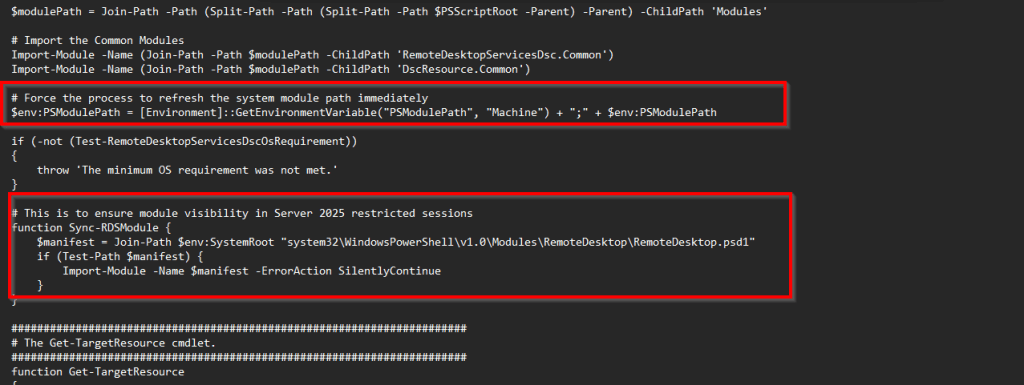
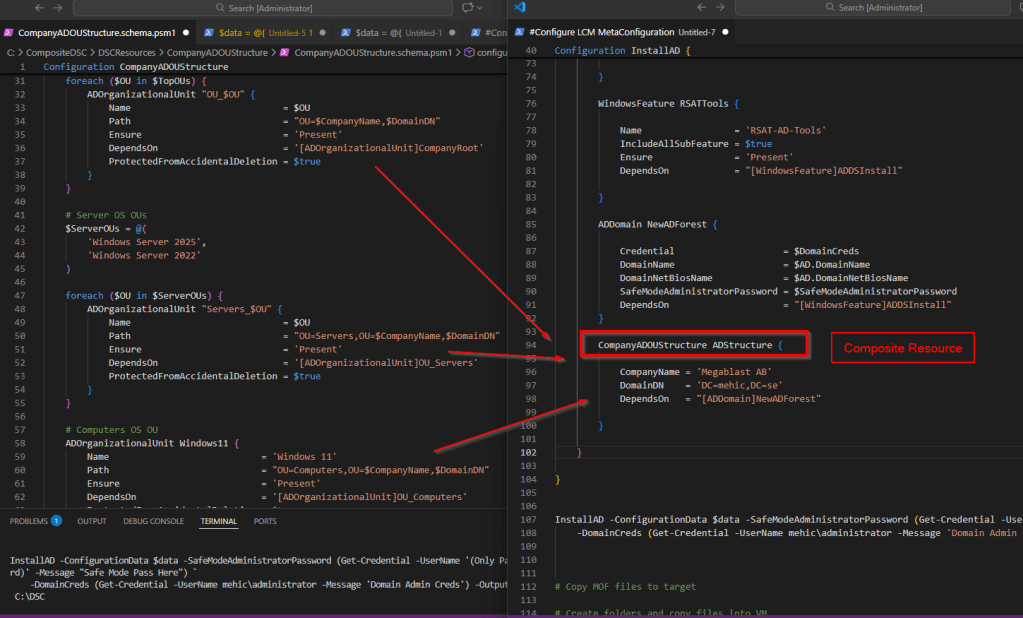
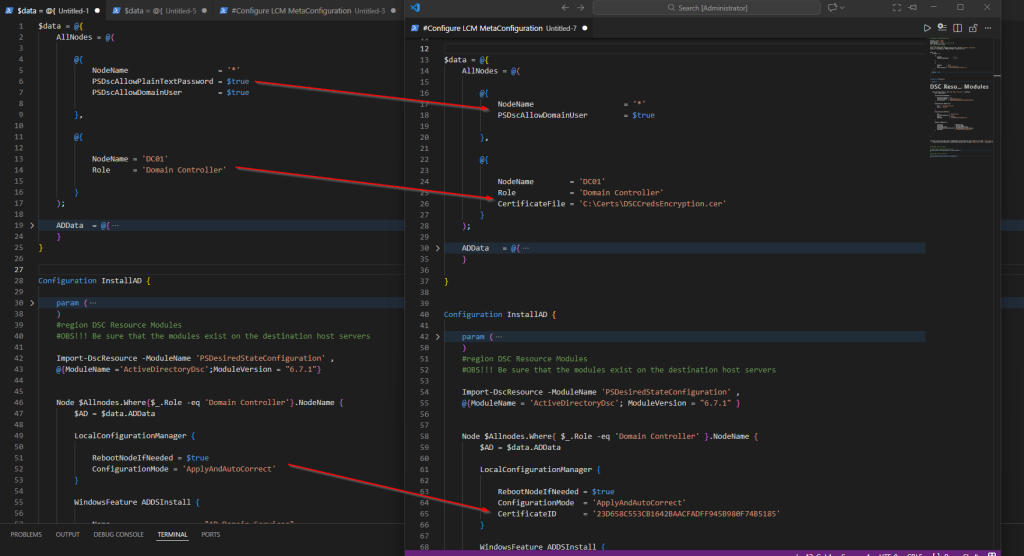
  17. Install Remote Desktop Services 2016 with Desired State Configuration

55 responses to “Deploying Remote Desktop Services 2016 Step-By-Step”

Nedim Mehic Avatar
  1. Looking very much forward to part 6 & 8 becoming available 😉

    Liked by 1 person

  2. Hi Klaus,

    It will be available soon 🙂

    Like

    1. When part 7,8 and 9 will be available I’m waiting?

      Like

  3. I am also looking forward to Part 6. We are currently planning Broker HA so I hope that Part 6 will be available soon.

    P.S.

    Great RDS posts and explanations so far. Keep up with good stuff.

    Like

  4. I am also looking forward to 11, 12, 13. Keep up with good stuff

    Like

  5. This is a great tutorial. One recommendation to consider is publishing remote apps externally. In one of the tutorials above, you have detailed instructions on requesting a certificate from an internal CA. It appears that it is a bit more complicated if you are having to use an external FQDN to publish apps externally. It would be great to cover that in the future.

    Liked by 1 person

  6. When do you plan on finishing 11, 12, 13?
    Really appreciate the time you’ve spent writing this whole RDS deployment.

    Like

  7. Hi Sebastian,
    I will try to finish it soon.

    Like

    1. Thank you for your time in creating such a valuable guide! Keep up the good work!

      Like

  8. Waiting for part 7!! Really good tutorial, thank you so much.

    Liked by 1 person

  9. waiting for part 13 (i know that’s the last but no pressure man ;D) really great tutorial so far .

    Thank you very much

    Liked by 1 person

  10. para cuando la parte 7

    Like

  11. Fully appreciate the work gone into this excellent guide, I’m hoping for the remaining parts to be available soon 🙂

    Like

    1. Hi Stuart,

      I will configure it soon and continue with RDS posts. There will be troubleshooting, best practice and maintenance as well. I had to re-create the whole environment from scratch.

      Like

      1. That’s great, your guides are so informative I’ve just completed my first RDS setup and just from reading through your guides it completely widened my knowledge. What I have been struggling to find is a hardware specification, I read somewhere that Session hosts are best configured at 1 CPU per 15 users and 2GB RAM per CPU, it would be good to have a bit more clarity not only for the Session host servers but for all the servers running various RDS roles. Are you able to comment or perhaps point me in the right direction? Much appreciated.

        Like

  12. Hi Nedim,

    When part 7 will be available? Great tutorial so far

    Like

  13. Need part 7 as well 🙂

    Like

  14. Great write up! looking for parts 7-9, Any write ups about RDWEB for HA?

    Like

    1. Hi Mike,

      I will try to add RD Web HA as well. I was very busy and that was the reason of not completing RDS posts but that will be soon. I will probably write a book RDS 2016 and include a lot of best practices, real-world scenarios and tips and tricks + completely RDS deployment from scratch.
      Regarding RDWEB HA you can do it for example by creating a Network Load Balancing cluster or farm. You will need to install NLB on all your rdweb servers and In Network Load Balancing, each of the Web Access servers will have their own individual name, RDWA1, RDWA2, RDWA3. They each have their own individual IP address, so very similar to Round Robin. In this case you go into DNS and create a record, and assign it the cluster IP address. I will add how to configure this under RDWEB Access posts

      Like

  15. In addition to configuring HA for my connection broker servers, I would also like to load balance my web access servers. If I were to use an appliance such as Citrix load balancer
    Would I still need to install NLB on the web servers?

    Like

    1. Hi,
      No need to install NLB if you have your own one. We can use both hardware or software load balancer so you can choose which one is good for you. Usually small environements will use software and environments that have critical apps will use hardware, it all depends

      Like

  16. Hi Nedim

    we are doing a test with dynamics AX in RD Web Access in 2016 but the resolution when open the app does not allow to view all the item in AX, how can i configure the remote desktop service to have a resolution for 1024 x 768 for all program display from windows server 2016 RDWeb Access

    NOTE
    Remote Desktot Service 2008 R2, Dynamics display all the items

    thnks

    Like

  17. Waiting for part 12, 13 and 14, when to expect those links to become active?

    Like

  18. Good morning Nedim, how you doing?
    Let me tell you something, thank you for share your knowlade with people like me, this site is very helpful to every person who is looking for some help to solve some issue about Microsoft´s products.

    I found this site, cos I am lloking for some information about Remote App in Windows Server 2016, cos we are trying to deploy it in an Azure enviroment. We want virtualize Exactus ERP en deliver it using Remote App to end users.
    Have you something that I should been know about it?

    Like

  19. When will we get the last three parts? Setting up an environment and want to make sure i get the last three configured correctly.

    Like

    1. Hi Christopher,
      I will do my best to finish it soon. very busy at work :(. I am planing to post the rds deployment in Azure as well.

      Like

      1. I am doing this in azure as well love the guide as it helped a lot as this is my first time to set up an RDS environment

        Like

  20. When is RD Gateway section going to be completed? This ties it all together and I think this is the most tricky part.

    Like

    1. Hi David,
      I am working on it. 🙂

      Liked by 1 person

      1. Hi Nedim, thanks for sharing all this with us … it helps a lot! Sorry to ask this question again as David already did it but I am struggeling with deploying RD Gateway and SSO with self signed certs and hopefully your Part 8 will help me find the solution … alternatively it would be great to have the opportunity to contact you directly and describe my problem …?

        Thanks a lot!

        Thomas

        Like

  21. Hi Nedim,

    For a small small environment with 1 hosted server. How do you recommend setting this up? How many virtual servers and and what roles on the servers do you recommend?

    Like

    1. Hi Johan
      You can run Quick deployment if you have very small environment and install roles that you need or all of them on 1 server. I guess that you have DC already deployed so you can install licensing role on a dc. That is the only rds role that should be installed on a DC. How many users will connect to session host server?

      Like

  22. Hi Nedim,
    Thank you for sharing your knowledge and thank you for your time. I appreciate it.

    Like

    1. Thank you Aziz.

      Like

  23. Some great things to know.
    1. WinRM must be working between the RDS servers in the deployment. This can stop working if you have the system proxy set through netsh winhttp show proxy and the RDS servers are not all added as exceptions.
    2. Don’t go setting group policy against the RDSH role before deployment. It me see up the Server Manager deployment and things start breaking. Set up your deployment first then start playing around with GPO. Way to go for a Microsoft product in 2016 not being fully GPO aware and compatible.
    3. Don’t add license server both in Server Manager and GPO for the Session Hosts. It can break licensing.

    These three things cost me a day in deployment.

    Liked by 1 person

  24. Nedim, thanks for this update about Windows Server 2019.
    Waiting for the remaining parts of RDS.

    Like

  25. A book dedicated to this would be great! I’d especially like to see a troubleshooting section. I’ve had issues where the remote services install but fails with “Unable to configure the RD Session host server. Invalid operation” error on the session collection install.

    Like

  26. Hi Nedim, will you write anythig about RDPersonalSessionDesktopAssignment ?

    Like

    1. Hi Andrade,
      I will if I will find time for it.

      Like

  27. First off, thank you for this blog! Very grateful!

    Before deploying RDS, I read through you’re entire blog, but I have a few “starting” questions…

    I’ve recently purchased a new server with Windows 2016 standard on it and is now a production server. I’m currently in the process of wiping the old server and replacing the OS with Windows Server 2012 R2 on it. The sole purpose of the R2 server is for RDS. It is connected to the domain, but that is it. No other roles are installed.

    My question to you is, do I setup RDS on the 2016 server and point it to the R2 server to install all of the services ? Unlike your scenario listed in the blog, I will only have one server as opposed to 3. Is there anything else I need to consider before deployment?

    Thanks again for your help and this very detailed blog!

    Cheers,
    Kurt

    Like

    1. Sorry, I figured this out.

      Like

  28. Hi Nadim Can we chose 2 servers, Serv1 (ADDS, DNS, DHCP) and ser2 for RDS. also can we select serv1 as (Specify RD web access serve and Specify RD session host serve.
    Cheers

    Like

    1. Hi,
      No, I recommend if you have small environment that you keep adds, dns and dhcp on server1 and on server 2 that you have RDS roles. If you have small envirnoment run quick depoloyment or all rds roles on one server.

      Like

  29. HI,
    we are waiting part 10. Do you think will be available soon?
    In part 9 you counsel to install the RD Licensing role on a domain controller…may you tell us why?
    thanks

    Like

    1. Hi Alessio,
      Part 10 is available. You will find info about DC and licensing role

      Like

  30. This is awesome, thank you so much for this. Best site on the internet. I designed whole environment based on these posts.

    Liked by 1 person

  31. Dear Nedim,

    I´ve got a RDS Workshop next week and my trainer told me about you and your brilliant RDS-Step-by-Step-Portfolio.
    Is it possible to use this instead of MOC Courseware and how much will that be per person? I´ve got 9 students :-)

    Thanks for a quick answer, otherwise I´ve to order the old ones…

    That´s me and my little company – see link 🙂
    Andrea Wirth

    Like

    1. Hi Andrea,
      Do you mean to use this material for the course?
      Best Regards,
      Nedim

      Like

      1. Yes, thats what we wanted to ask…

        Like

  32. Tack Nedim, det är ett suveränt jobb som du har gjort med dessa guider. 🙂

    Liked by 1 person

    1. Tusen tack Stefan 🙂

      Like

  33. Dude thanks for your insight.

    Like

  34. bonsoir , je vous remercie pour le partage de cette documentation de RDS merci Beaucoup

    Like

  35. Thanks for the step by step configuration on the RDS 2016. It’s clear now for me, good work man.
    Like

  36. Excelent, Work!! Congrats!!! Suggestion: Tutorial with Remote Desktop Web Client

    Like

Leave a reply to Klaus Lingskov Cancel reply

Trending